A client judges a room by how it will feel to live in, and the curtain is the first thing that tells them. Picture the presentation: they ask to see the blind at forty per cent and how much fabric the bedroom needs, and you show both on screen instead of promising to come back with a number. Most interior models treat the curtain as a decision already made: a plane, a fabric texture, floated a little off the wall. It reads at a glance and falls apart at the first question. How much fabric is that.
Curtain Craft is a SketchUp extension that builds the curtain instead of representing it. Version 2.2.1, 19 systems. The reason to care is narrow: the mechanisms behave the way real ones do.
What a flat curtain plane costs you later
It holds up until the render is done. Then the client asks to see the blind at forty per cent, and you cannot: a plane has no wrap and no stack. Then the workroom wants quantities, so you measure the plane, add fullness in your head, and send a number you half trust.
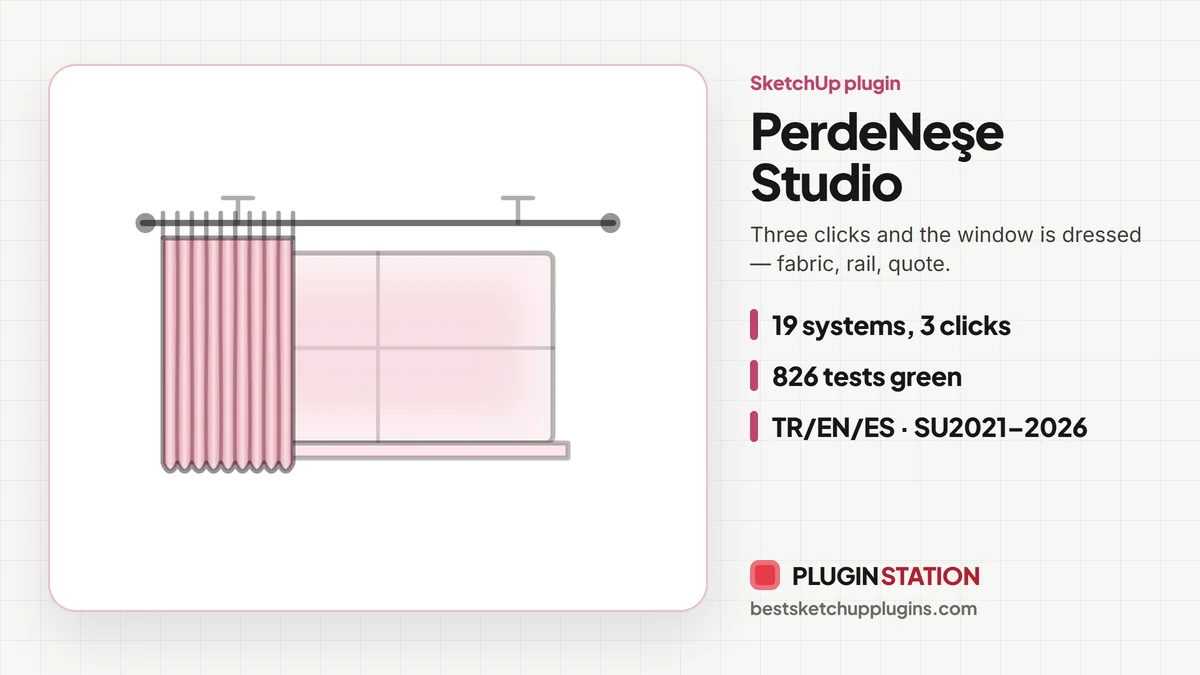
Curtain Craft: 19 parametric curtain and blind systems from three clicks
Start point, width, Z height. Three left clicks and the curtain generates as one undoable SketchUp operation, in three named parts on shared Tags: Fabric, Mechanism, Hardware. Shift locks the inferred point, arrow keys lock an axis, Esc steps back a click. Nothing is baked: right-click, edit settings, and the group rebuilds in place.
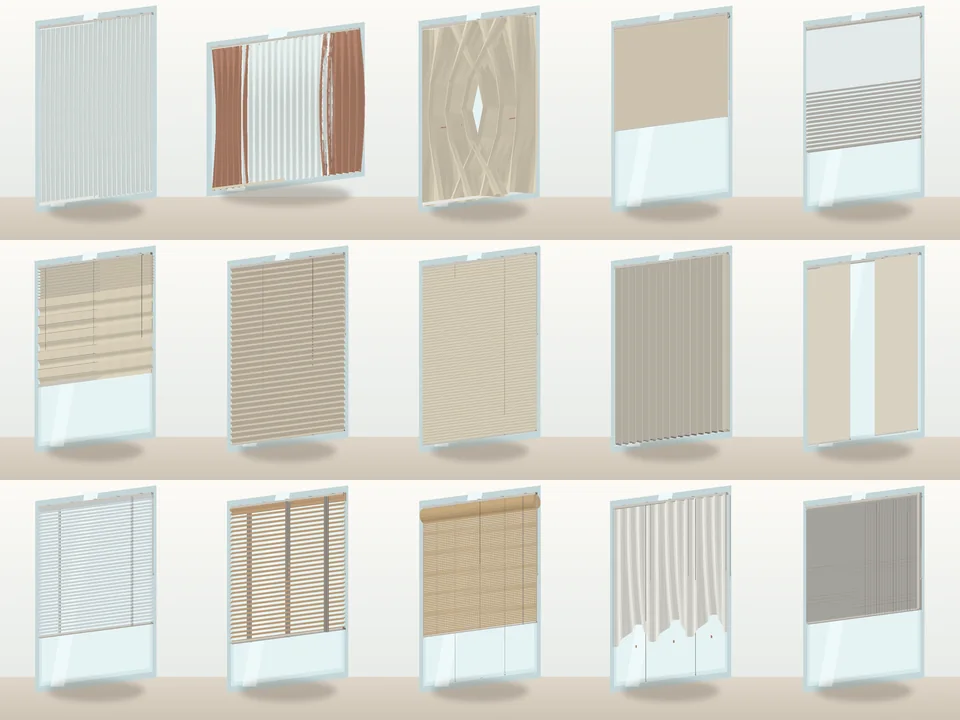
- 19 models in five families: drape, roller and tiered, folding and cellular, vertical and lateral, natural and special.
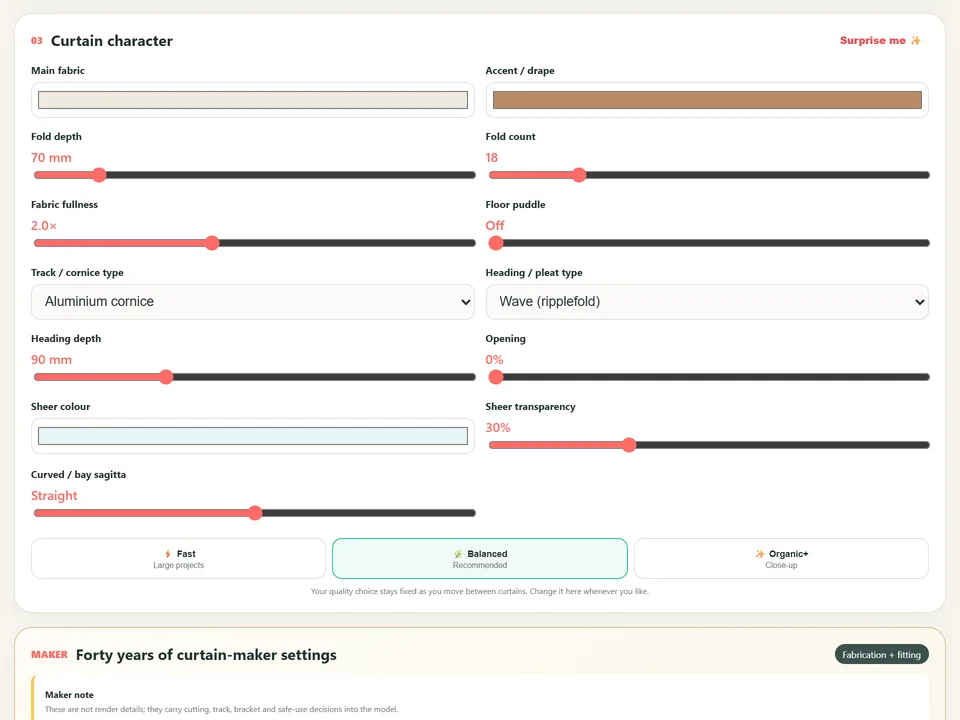
- Six heading types with measured top amplitudes, and five rails: 14 mm KS track, 28 mm aluminium, 62 mm decorative, 45 mm wooden cornice, rustic pole.
- Half and closed cassettes, cornice boxes, three detail levels at 8 to 18 segments per fold.
- Bulk mode dresses every selected vertical window face at once, measuring each one separately.
The mechanisms are modelled, not suggested
A roller blind half down is not a shorter rectangle: the fabric has to be somewhere, and it is on the tube. Curtain Craft grows the wrap radius from conservation of area, so the roll thickens as the blind winds up and thins again as you let it down, and the tube at the head reads visibly fatter with the blind raised than with it hanging.
A Roman blind raised halfway does not bunch: the lower battens form a real fabric stack and the batten count stays constant. Stacking packs folds, slats and vanes instead of deleting them, so a vertical louvre drawn open still carries every vane — gathered, not deleted.
- Zebra blinds close when the opaque bands of one layer shift over the sheer bands of the other, and open when the opaque bands line up.
- Venetian ladder cords track the slat angle as the slats tilt.
- Fabric sags on curved and bay track.
- Panels, slats and vanes carry physical thickness, 0.2 to 5.0 mm.
The take-off happens while you draw
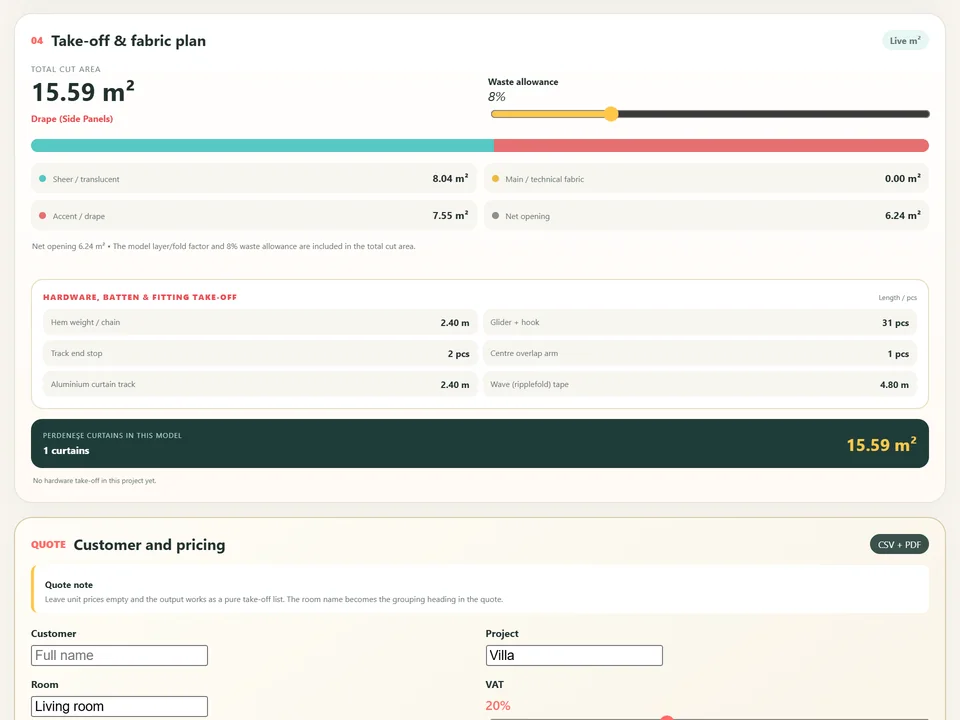
Fabric is measured in m² as the geometry builds: opening, sheer, main and technical, and total cut area, driven by fullness, overlap, roll allowance, puddle and your own waste percentage. Hardware comes out as 80-plus line items in metres and pieces: tubes, side plates, chains, tube motors, ZIP channels, carriers and brackets at 300 to 800 mm spacing.
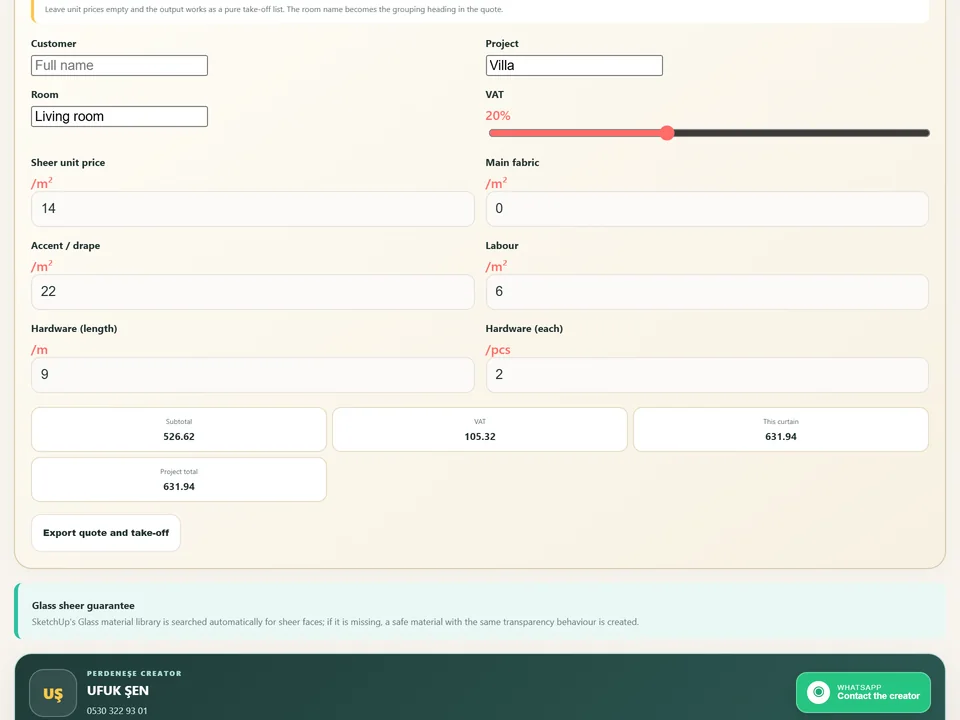
Export the model grouped by room: a semicolon CSV with a UTF-8 BOM that opens straight in Excel, and a printable HTML quote with customer, project and room fields, unit prices and VAT. Print it to PDF from the browser.

Three clicks and the window is dressed.
Interior$25Curtain CraftCurtain Craft
No fold-by-fold modelling: three clicks, curtain, rail and quote.
- 19 systems, 3 clicks
- 826 tests green
- TR/EN/ES · SU2021–2026
SketchUp 2021–2026v2.2.1
What it does not do
- It dresses windows, it does not model them, and bulk mode reads vertical faces only.
- Folds are parametric geometry, not a cloth solver. No hand-thrown random drape.
- The quote does the arithmetic, not the pricing: unit prices, VAT and waste are yours to type.
- PDF comes from browser-printing the HTML quote. The smallest dimension it accepts is 50 mm.
- Desktop SketchUp only, as an .rbz. SketchUp Free on the web is out of scope.
Who it is for, and who should skip it
Buy it if you draw curtains often enough to resent it: residential interiors, hotel rooms, offices where one window repeats forty times, or any job where somebody downstream needs a fabric quantity from you.
Skip it if you model one curtain a year, if you need cloth simulation for a hero close-up, or if you work in SketchUp Free. Skip it too if a workroom system you trust already produces your take-off.
Where it runs and what it costs
- SketchUp 2021 through 2026, desktop. A 369-check compatibility suite keeps 2021 loading the same file as 2026.
- 826 tests green, and 24 .rbz releases between 1.0.0 and the current 2.2.1.
- Turkish, English and Spanish: 449 keys identical across all three, down to the Tag names in the model.
- Sold on Gumroad for your own commercial work - price on the product page. Updates come as new .rbz packages through the same link.
Not in the build yet: tube motor sizing in the take-off, direct PDF export without the browser print step, and supplier price lists feeding the quote. Buy it for what it does today.
The advantage, plainly: the curtain in your model is the one the workroom will sew, so the render, the fabric quantity and the quote all tell the same story. If your interiors carry curtains every week, see the 19 systems on the Curtain Craft page and draw the next window in three clicks.