Free should never mean second-rate, and your model should not have to look it. Picture a render where the worktop edge catches the light, the empty grey block around your building has become a street, and the image came straight out of SketchUp, without a licence key in sight. Everything in this catalogue that costs nothing is on this page. Three SketchUp extensions: Soft Edge, which rounds or chamfers edges with one true radius; CityFill, which fills the empty block around your building; and Render Fun, a path-traced render engine that runs inside SketchUp. A library of 946 free 2K PBR textures. And browser tools that need no install: Metraj Quantity Takeoff for material takeoffs, PanelCut Studio for cut lists and machine DXF, Presentation Studio for architecture presentation sheets, and four calculators for stairs, RAL colour codes, floor tiles and slopes. That is the whole free list, and there is nothing extra hiding behind an email form.
Only three of those are .rbz extensions you install in SketchUp. The rest open in a browser, and the textures are files you download. Worth saying up front, because a page that calls a web app a plugin is padding its list at your expense. Free here means free: no licence key and no fourteen-day clock on any of them.
The three free SketchUp extensions we actually ship
What each one does, then what it does not do. The second half matters more.
Soft Edge: round corners in SketchUp with one true radius
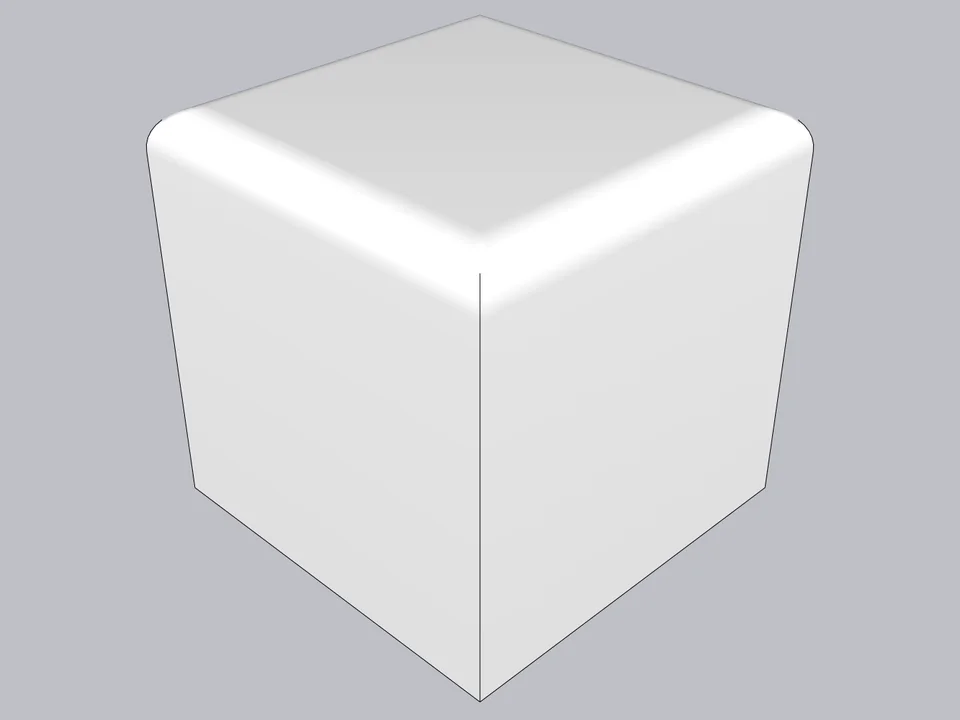
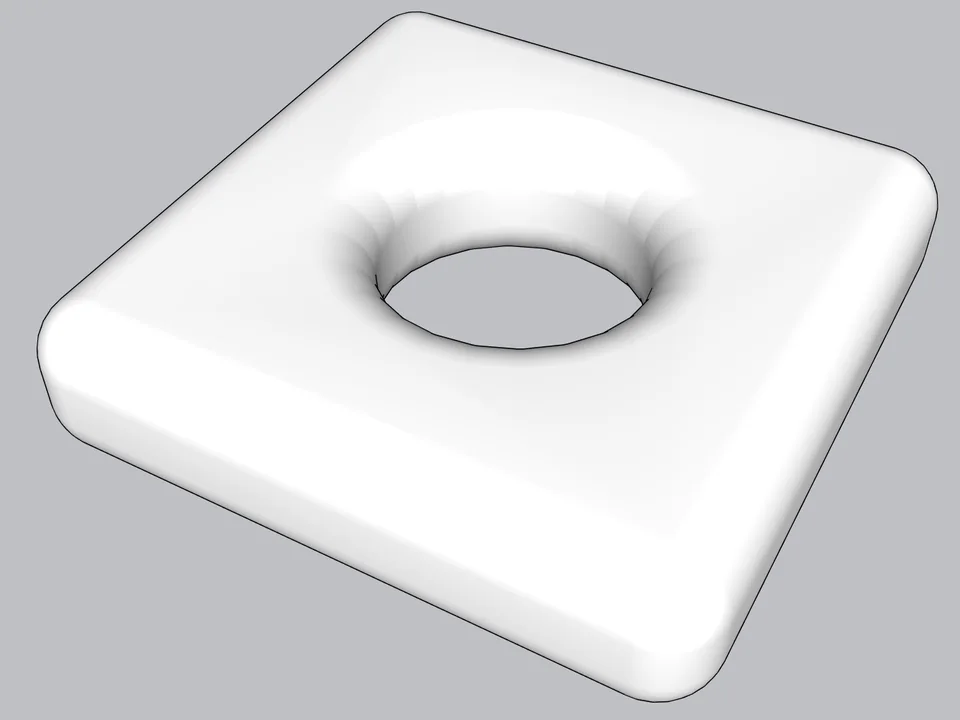
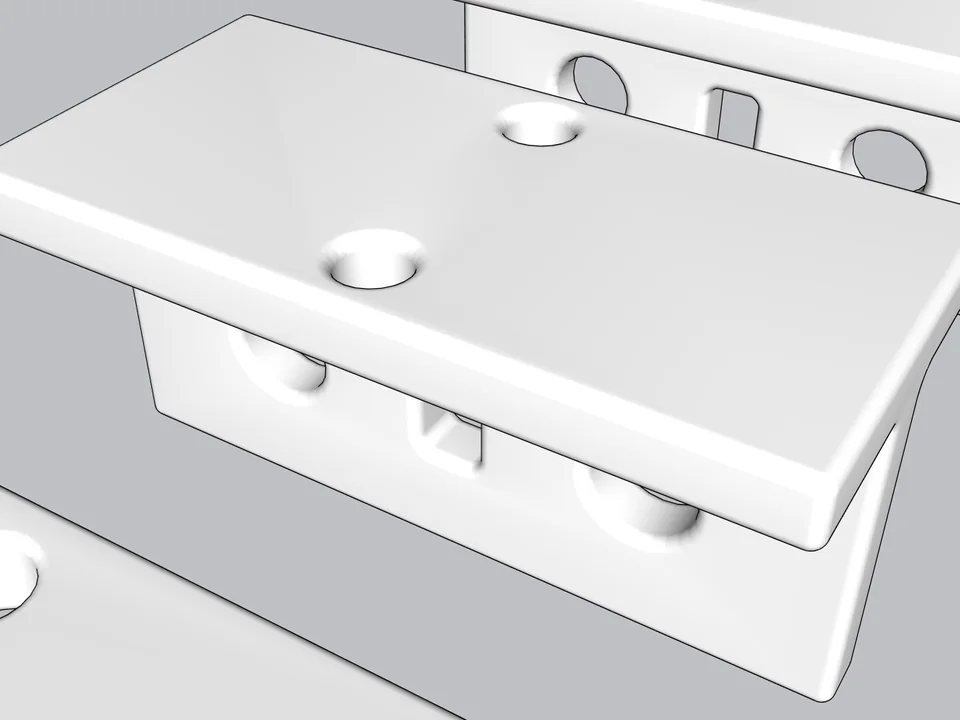
A table top, a worktop, a stone step: nothing real has a perfectly sharp edge, and a render shows it. Rounding by hand means a Follow Me profile that breaks at inner corners and where three edges meet. Soft Edge takes a group or component, selected faces, or just one, two or three edges inside a group. Type one radius in model units and every edge gets the same true radius, including concave solids, inner corners and sharp star tips. Where three selected edges meet you get a sphere corner, where two meet a mitre, and a single edge ends in a flat cap. Round or Chamfer, three quality levels, one Ctrl+Z.
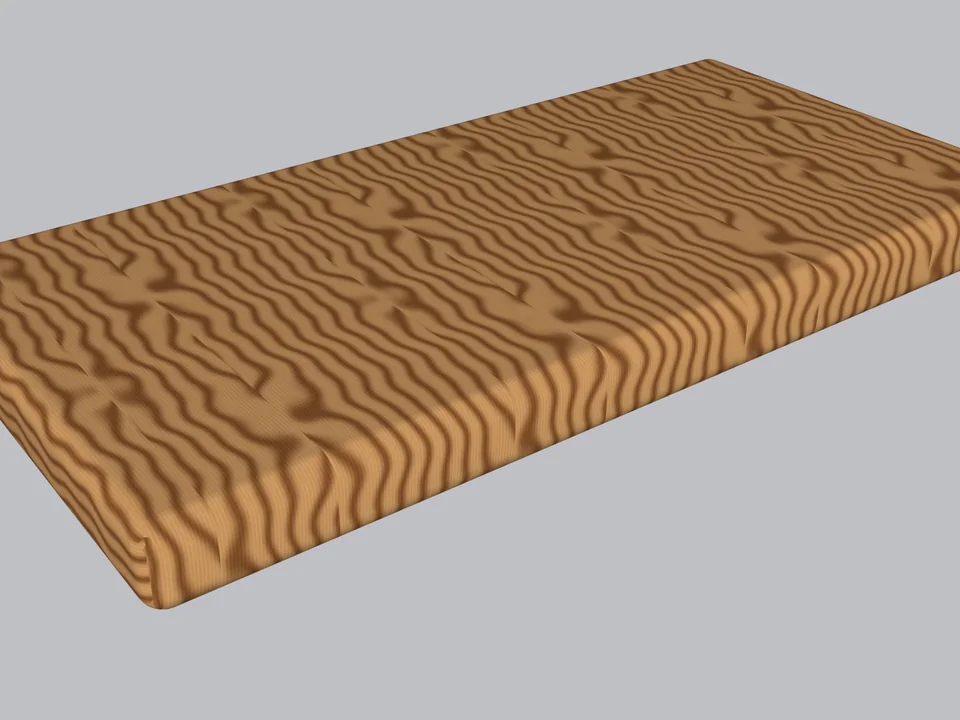
The part that makes it more than a one-shot tool: the original solid is saved with the group. Change the radius later and it rebuilds from the original instead of rounding already-rounded geometry, an edge added later gets its own radius, and Restore original brings the sharp version back. Faces with holes, open shells and nested groups are handled, and textures can follow the curve (Fixed, Wrap or Box). Version 0.8.1 beta, SketchUp 2021 to 2026, installs as a plain .rbz with no licence key, no account and no online check. There is a side-by-side with Follow Me and RoundCorner, and a short video.
- It needs a closed solid, or edges of one. When a selection does not form a solid, the panel says so rather than guessing.
- Texture is placed on the front face only; the back face keeps SketchUp's default.
- An object edited by hand after rounding is not rebuilt, so the saved original is never overwritten by accident.

Type a radius, click: every edge goes soft.
FREE ProductivitySoft EdgeSoft Edge
Skip hand filleting: round or chamfer in one click, always editable.
- Round + chamfer
- SketchUp 2021-2026
- Free
SketchUp 2021–2026v0.8.1
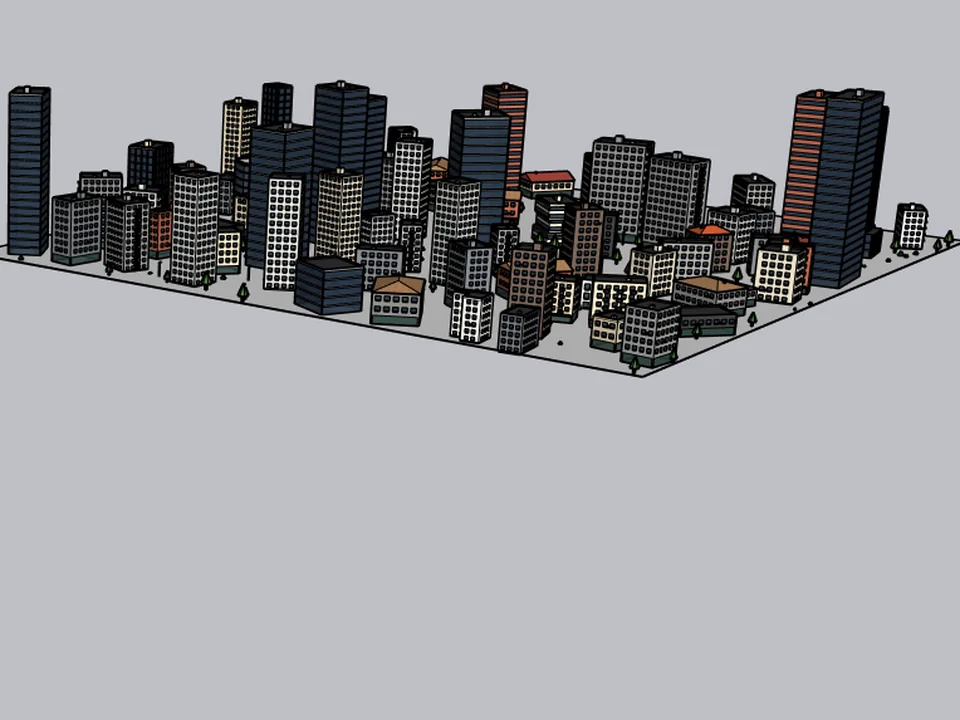
CityFill: the empty block around your building, filled
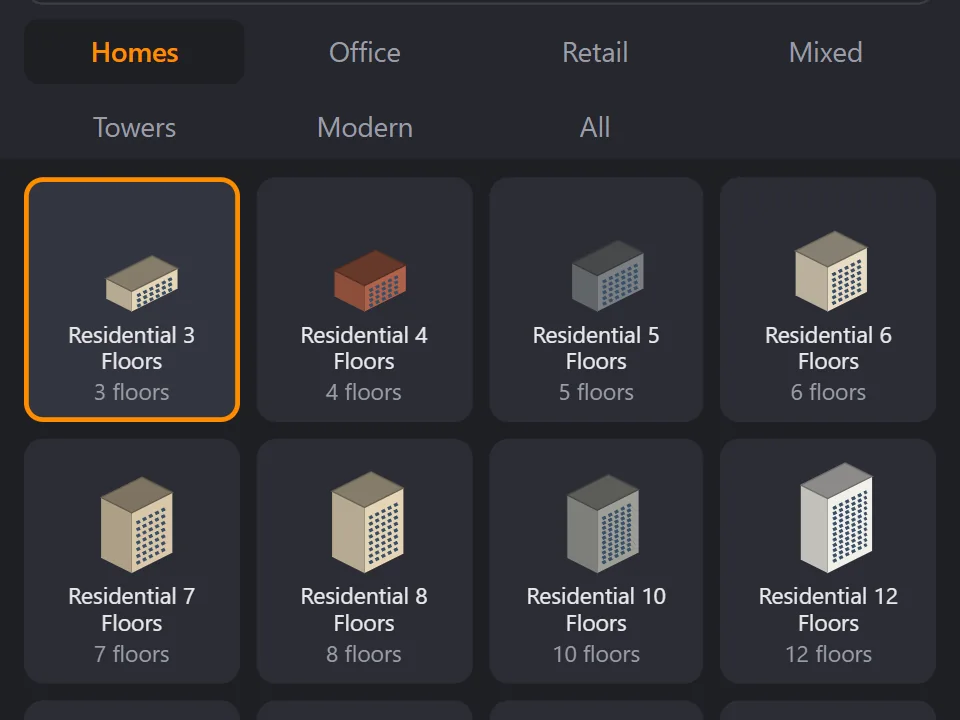
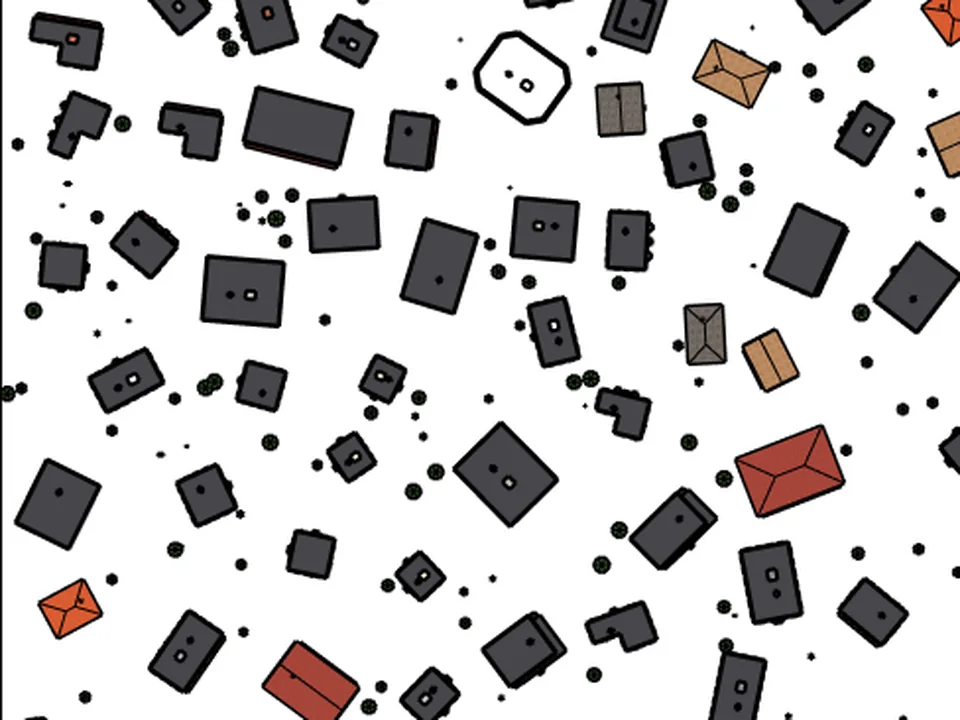
The building is modelled. The site around it is a flat grey plane and the render is due tomorrow. CityFill generates neighbours instead of downloading them: 154 parametric presets across six building types, 46 residential, 28 office, 23 commercial, 13 mixed-use, 14 skyscraper and 30 modern. Place them one at a time with a ghost preview, scatter them onto faces you select, or paint them on with a brush.
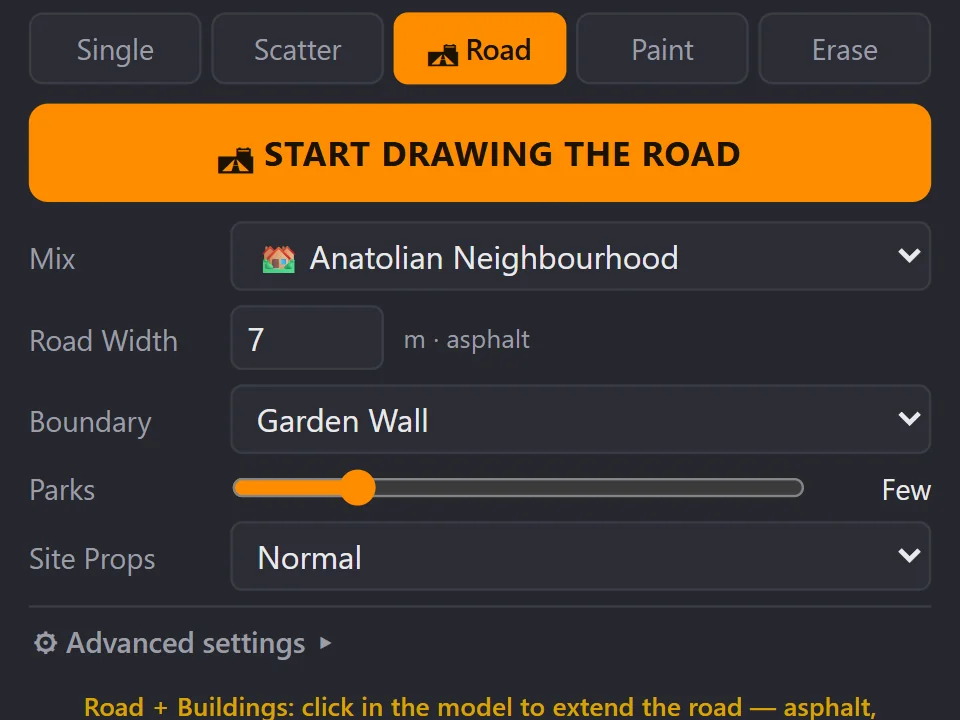
The road tool is the part that does the most work. Each click grows asphalt, curb, sidewalk, garden strip, a wall or fence, buildings and pocket parks together, facades already turned toward the road. On sloped ground the buildings stay world-vertical and a concrete plinth, measured by raytest, fills the gap left under the base. A whole scatter is still one Ctrl+Z. Version 2.0.0, SketchUp 2021 to 2026, installs as a plain .rbz.
- No interiors and no window-by-window detail. Buildings land at roughly 30 to 400 faces each across three detail levels, which is right for massing, shadow studies and background, and wrong for anything in the foreground.
- No GIS or map import. It generates a city, it does not import your real one. You scatter on faces you pick, paint with the brush, or draw a road and let the block grow around it.

Draw the road. The street grows with it.
FREE Urban DesignCityFillCityFill
No white void around your design: fill the city in a few clicks.
- 154 presets
- 3 placement modes
- SketchUp 2021-2026
SketchUp 2021–2026v2.0.0
Render Fun: a free render engine inside SketchUp
The client meeting is tomorrow, the model is finished and the image is not. If I could keep only one tool from this list, it would be Render Fun. It opens as a window inside SketchUp and reads the model itself, triangles, materials, textures, camera, sun and lamps, so there is no export file and no second program. The graphics card traces real light through WebGL2: the first image appears at once and sharpens while you watch, and “Until clean” stops the render by itself once the noise is gone. Move the camera or change a material and the render window follows.
The presets are what make it usable on a deadline: interior day or night, exterior day or sunset, one press each. Smart Check scans the model for what slows a render down or spoils it, leftover lights and proxies from other render engines, empty groups, duplicates, oversized textures, reversed faces, and fixes what you tick in one step that a single undo brings back. A physical sky with SketchUp's own sun, 10 built-in CC0 HDRIs, a material library of 298 texture sets, a pack of 129 plants and an AI denoiser for the final render on Windows all ship inside the plugin, so it needs no internet connection. After a render, Before / After turns the SketchUp view and the finished image into a slider page or a 5-second video for your client or your portfolio. It is free for personal and commercial work, with no account and no licence key.
- Windows only for now. It has not been tested on macOS, so we do not claim it.
- SketchUp 2021 to 2026, with automated tests in 2023, 2024, 2025 and 2026; 2023 or newer gives the best result, and SketchUp 2020 and older are not supported.
- It needs a graphics card with WebGL2 and sets its quality to the card by itself. Integrated graphics have not been measured yet.
- It installs differently from the other two: close SketchUp, extract the .rbz into your SketchUp Plugins folder, then start SketchUp again. The Render Fun page shows the exact folder and every step.
946 free 2K PBR textures for SketchUp, commercial use included
A render is only as believable as its materials, and an oak floor that shines like plastic tells the client the opposite of what you meant. The texture library holds 946 PBR textures in 20 categories, from stone, marble, concrete and brick to wood, fabric, metal and ground. Each one is a 2K ZIP of 2048 × 2048 PNG maps, base colour, normal and roughness and, where the material needs them, height, ambient occlusion, metallic and more, with a LICENSE.txt in English and Turkish inside. There is no account and nothing to sign up for: the button on each texture card downloads the file directly.
They are free for personal and commercial work, client renders and animations included, with no credit required; the one thing the licence rules out is passing the texture files themselves on. In SketchUp 2025 and 2026 the roughness, normal, metallic and ambient occlusion maps load straight into SketchUp's own materials; older versions use the base colour map as an ordinary texture and leave the rest to your render engine. Every map, the right real-world size and the slot each one goes into are explained in free 2K PBR textures for SketchUp.
Free browser tools: nothing to install, no SketchUp version to match
These are not SketchUp extensions, and that is their advantage: they open in a browser on the office machine or a tablet on site, next to whatever SketchUp year you run. Two of them pick up where the model stops, one turns your renders into a presentation, and four calculators answer the questions you would otherwise work out on paper.
Metraj Quantity Takeoff: the takeoff where the openings deduct themselves
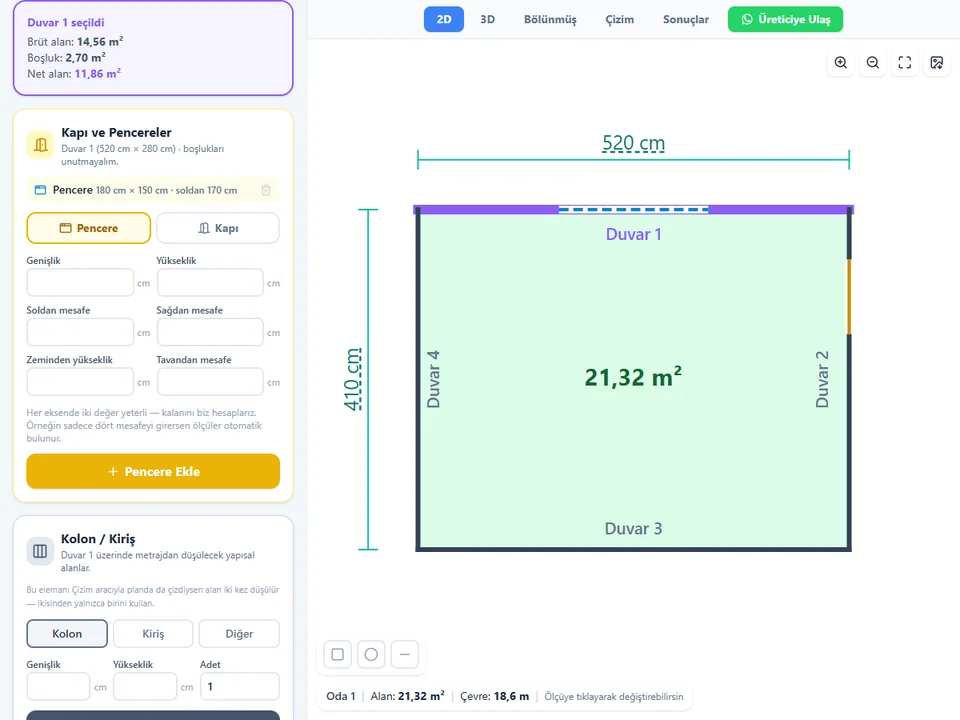
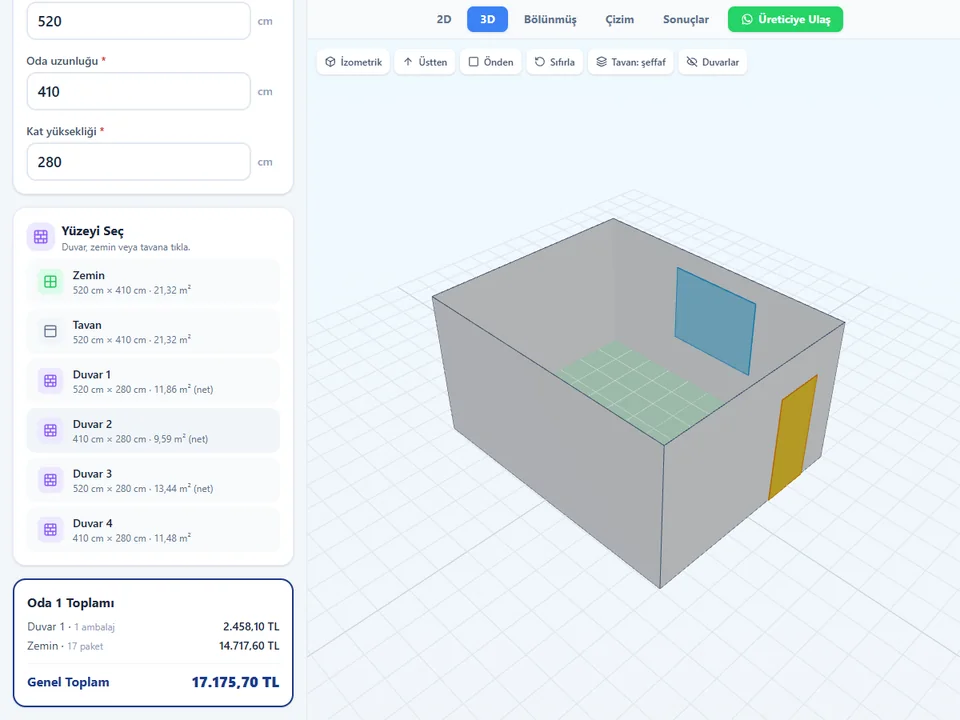
This one starts where the model stops. Enter a room as width by length by floor-to-ceiling height and six surfaces appear. Place doors and windows from either edge, enter columns and beams as count times size or draw them in the plan, and every one of them comes off the gross area on its own. The net figure drives 11 material engines: interior and exterior paint, satin plaster, epoxy, wallpaper, ceramic, granite, marble, laminate, PVC flooring and carpet.
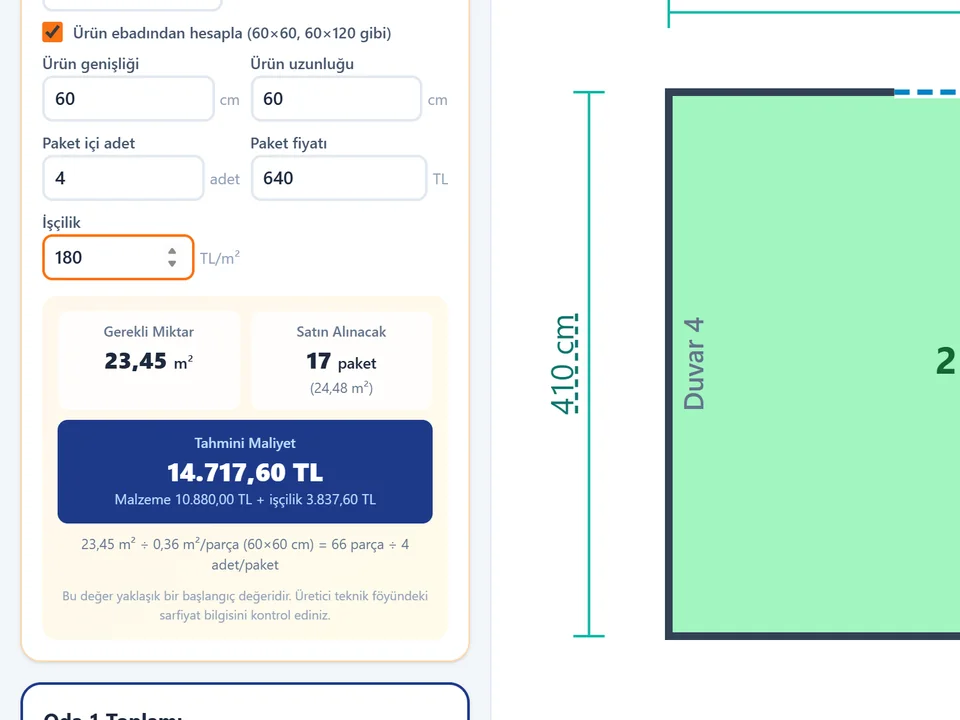
Ceramic, granite and marble can be calculated from the real product size, 60x60 or 60x120, with pieces per pack, so you get true piece and pack counts instead of a square-metre figure someone rounds up at the merchant. Out comes a printable PDF with the plan drawing and the tables, CSV that Turkish Excel opens without a fight, JSON and a PNG, with totals in TRY, USD or EUR. Nothing installs, your project data stays in the browser - the only thing that goes out is an optional "who is online" badge - and 119 automated tests run green.
It is beta and the interface is Turkish only for now. Skirting length is not in yet, one material cannot be applied to several surfaces at once, and a drawn room's dimensions cannot be edited afterwards. It is a takeoff and budgeting tool, not a certified estimate: quantities follow the consumption, waste, coats, pack size and prices you type in.

Room sizes in, materials and cost out.
FREE ProductivityMetraj Quantity TakeoffMetraj Quantity Takeoff
No hand maths behind the quote: room sizes in, materials and costs out.
- 11 material types
- 119 tests green
- PDF · CSV · JSON · PNG
Runs in your browser
PanelCut Studio: one carcass, a cut list and two DXF files
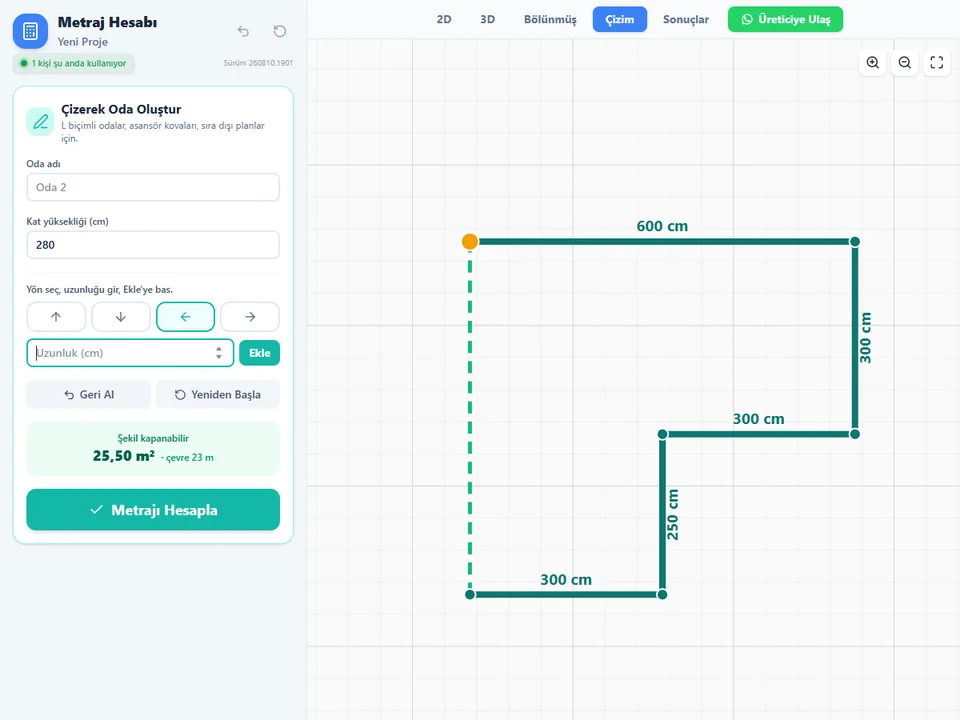
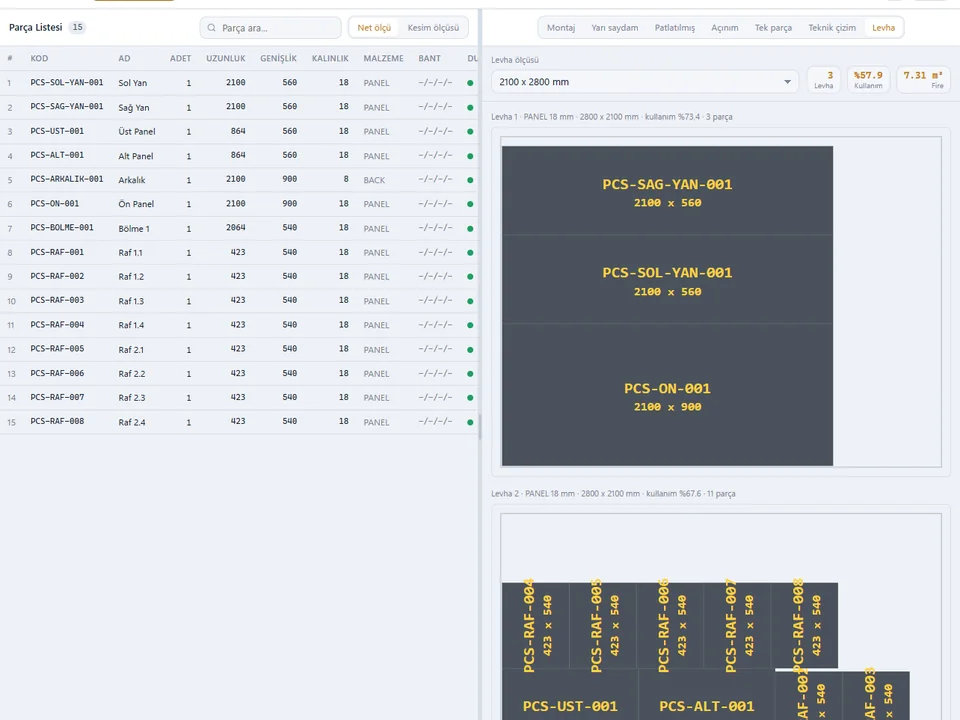
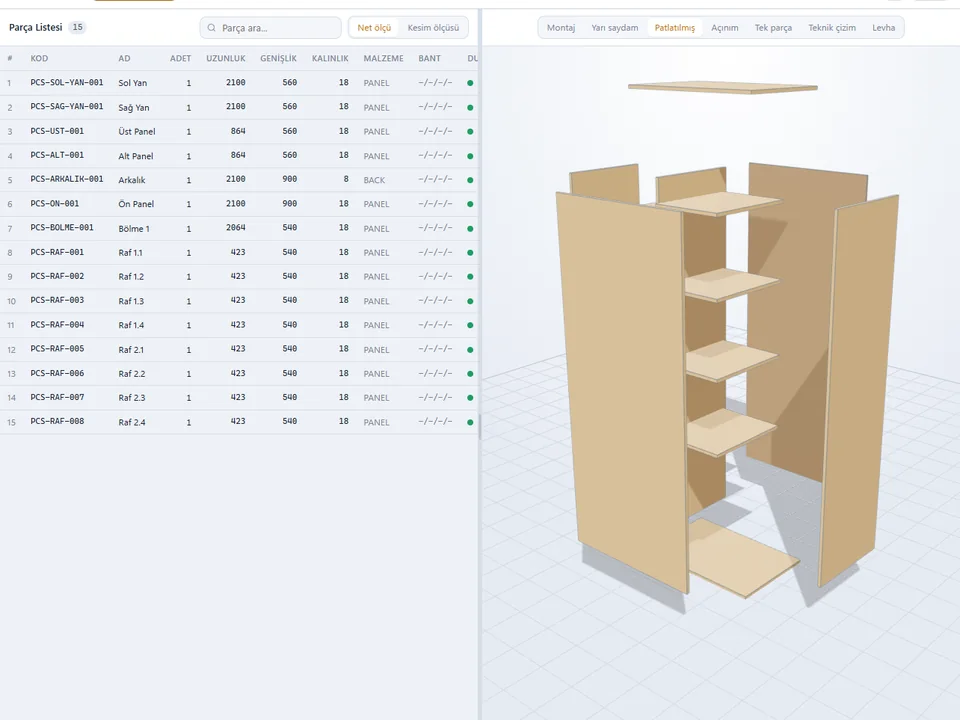
Build the box in the app, sides, top, bottom, back, up to eight vertical dividers and shelves, or bring a contour in as DXF from whatever CAD you already use. Net size and cut size stay separate, and saw kerf, edge trim and edge banding are set per edge. The parts are then nested by one of two engines: a guillotine-safe shelf packer for panel saws, or MaxRects for routers.
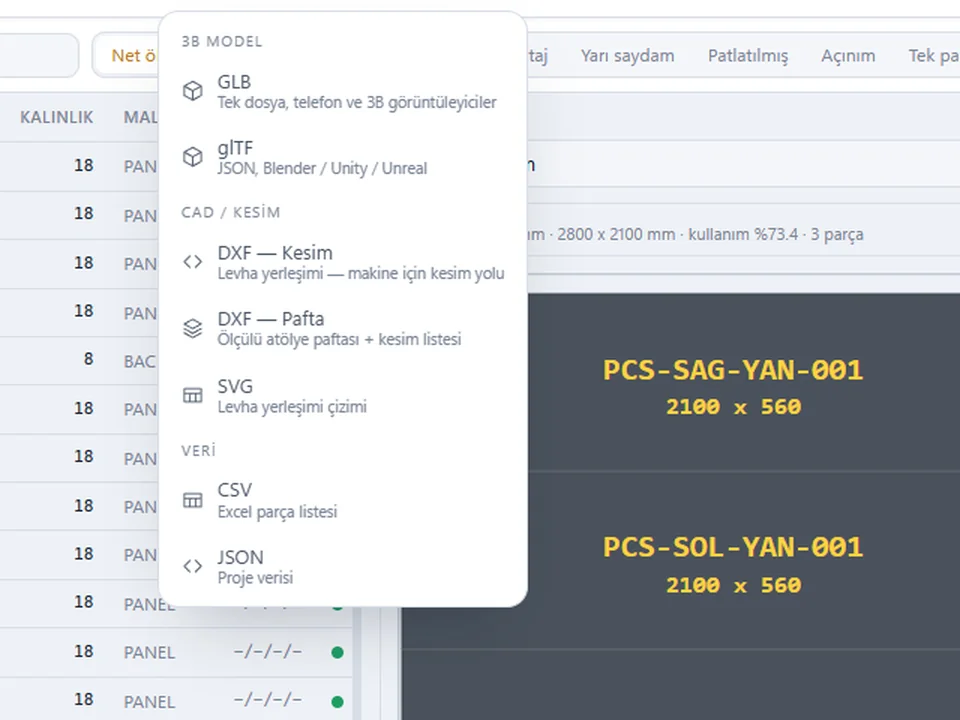
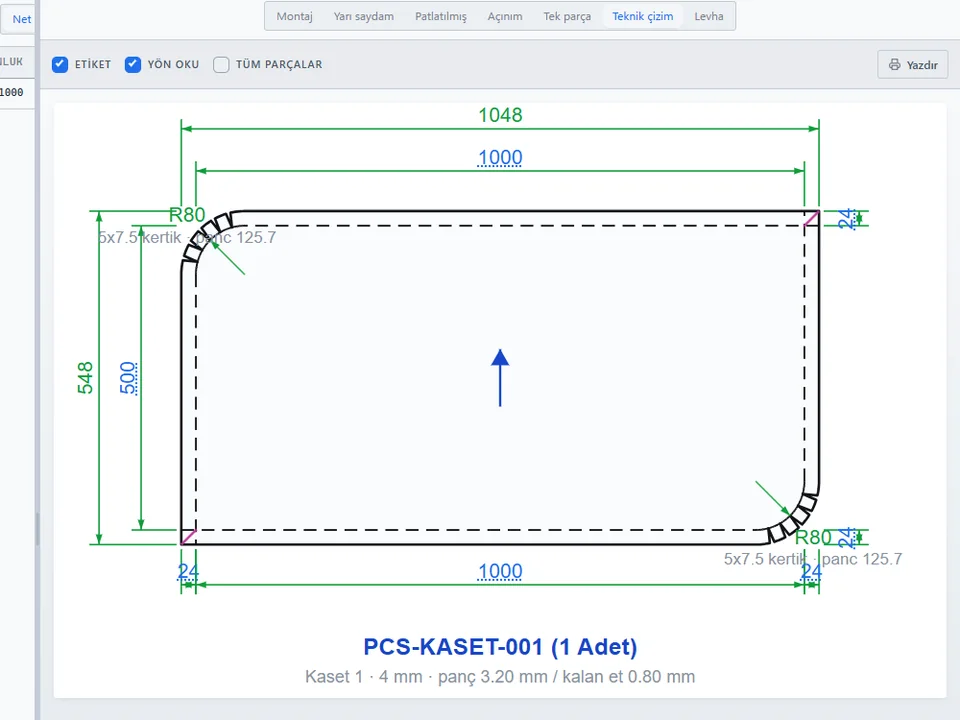
One model gives you DXF R12 twice. The nested sheet goes to the machine, on SHEET, PARTS, HOLES, GROOVE, FOLD, MITRE and TEXT layers, with true contours rather than bounding boxes. The dimensioned sheet goes to the bench. Before either export, 25 validation rules and 10 unfolding rules run; a critical error blocks the production file and stamps the report as not fit for production. Finding that out here costs a lot less than finding it out at the saw.
It is alpha, version 0.26.0-alpha, and says so on its own page. No 2D sketch editor for free profiles or custom holes. No CNC operation interface. No post-processor and no G-code: you get the DXF and set the machine up yourself. Nesting is rectangle-based. 236 automated checks run green, and you should still check the first sheet before anyone cuts it.

Set the carcass; the cut list writes itself.
IN THE LAB ProductivityPanelCut StudioPanelCut Studio
No cut lists by hand: draw the panel once, cut list and CNC DXF follow.
- 236 checks green
- 2 nesting engines
- 25 validation rules
Runs in your browserv0.26.0-alpha
Presentation Studio: renders and plans in, a sheet set out
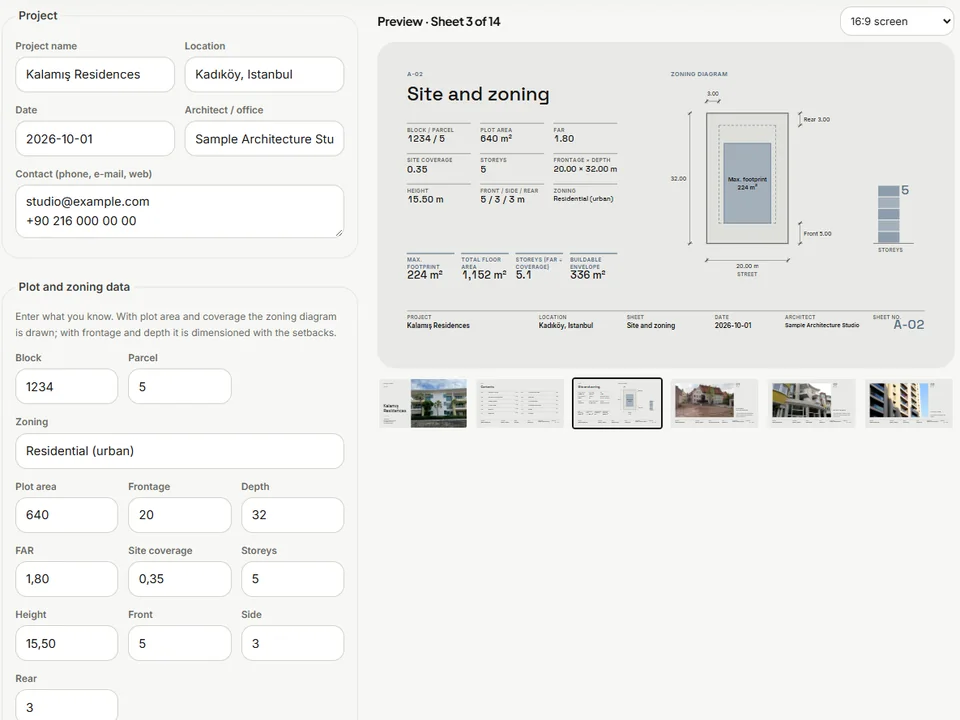
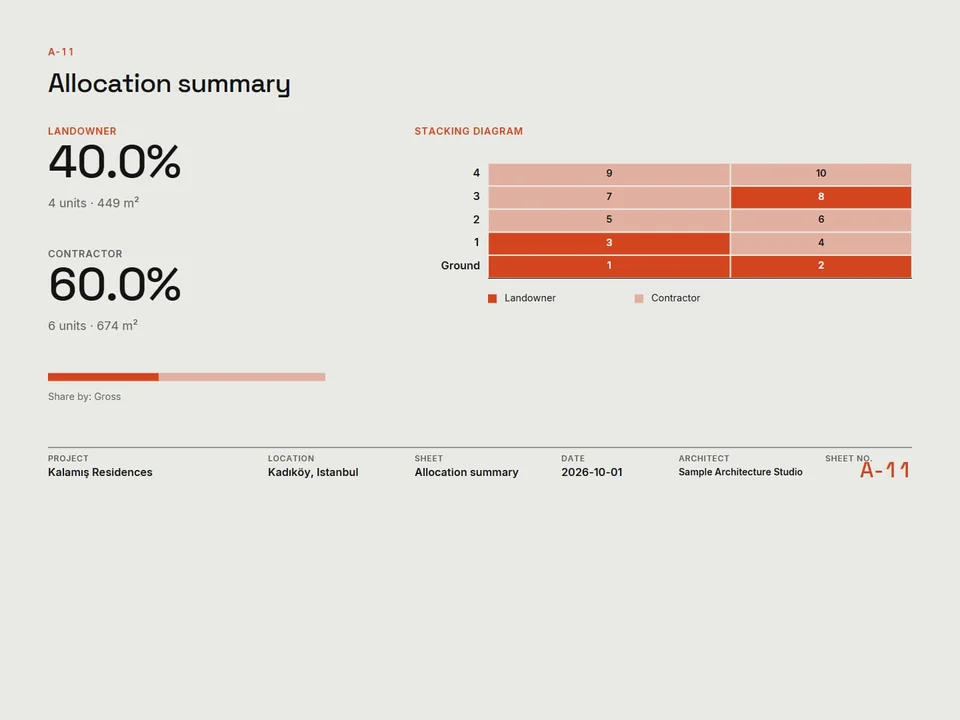
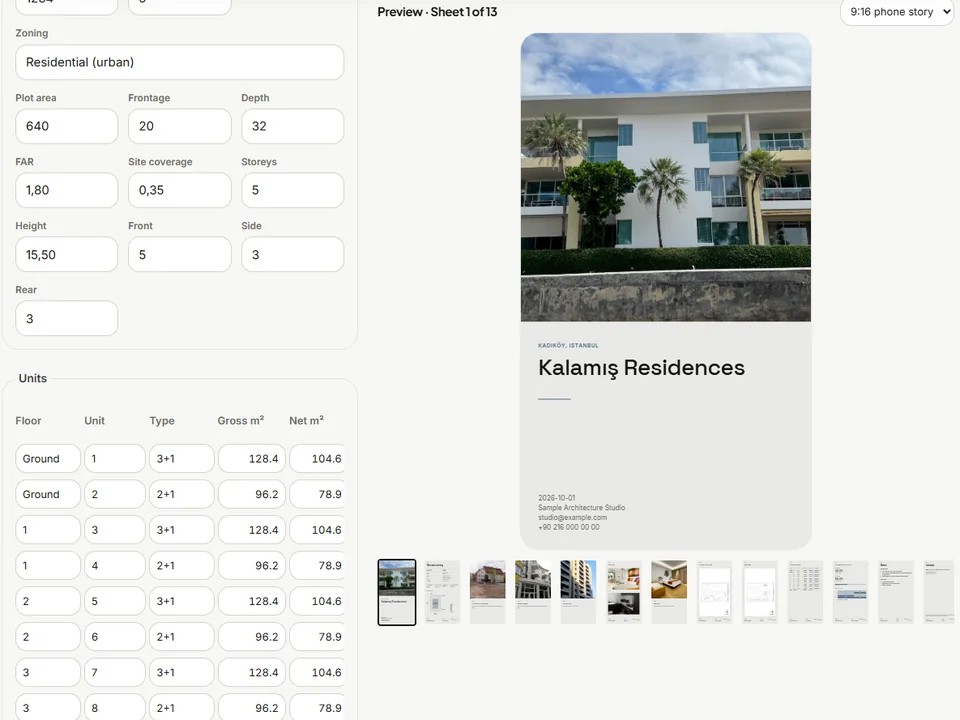
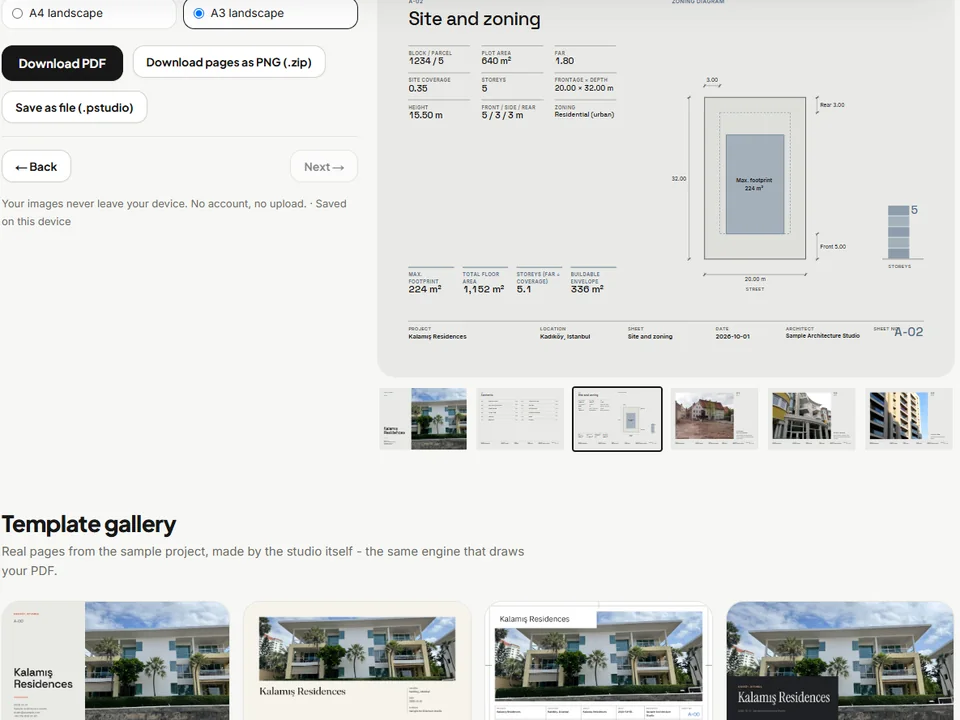
In front of a jury or a client you want to put down a sheet set that carries your signature, not a slide deck assembled at midnight. Presentation Studio takes up to ten renders, photos and plans plus a logo and lays them out on one of four sheet-style templates, Concrete, Paper, Line and Night, with a title block, sheet and figure numbers and a north arrow. Pick a site study, a render presentation, a unit allocation or a combined set. From the plot area, frontage, depth, FAR, site coverage and setbacks it draws a dimensioned zoning diagram, and from the unit table a stacking diagram of who gets which flat. Out comes a vector PDF for screen (16:9), phone (9:16), A4 or A3, a PNG per page and a .pstudio project file.
- It is not a SketchUp plugin: it works with images exported from SketchUp or any other program.
- No account, no watermark and no limit on how many presentations you make. Your images never leave your device, and it keeps working offline once the page has loaded.
- Projects are kept in the browser on that device; save a .pstudio file to back one up or to open it on another computer. It is a beta, version 1.0.0, in English and Turkish.

Four sheet templates. Your renders, jury-ready.
FREE ArchitecturePresentation StudioPresentation Studio
Skip slide-by-slide layout: renders in, a designer-grade sheet set out.
- 4 sheet-style templates
- Zoning + stacking diagrams
- PDF 16:9 · 9:16 · A4 · A3
Runs in your browserv1.0.0
Four free calculators for the numbers around the model
- Stair Calculator: type the floor-to-floor height and get the risers, treads, total run, pitch and a scaled section, checked with the 2R + G step rule against the US IRC and IBC, the UK Approved Document K or the Turkish Planned Areas Zoning Regulation. Give it an available length and it fits the treads in, or tells you they do not fit.
- Color Codes to SketchUp: type a RAL Classic or paint code, a name or a hex value and get HEX, RGB 0–255, RGB 0–1 for renderers, HSL, Lab and light reflectance, plus a .skm material file or a one-line Ruby command. It works backwards too: pick a colour, even from a photo, and see the closest RAL and paint colours.
- Floor Tile Calculator: room and tile size in; the tiles and whole boxes to buy out, with waste for the pattern (10% straight, 15% diagonal or herringbone, all editable), grout, the skirting length and a plan of where the cuts fall, shifted half a tile when a wall would otherwise get a sliver.
- Ramp & Roof Slope Calculator: rise and run in; percent, degrees, 1:n, roof pitch in twelfths and sloped length out. In ramp mode it checks the 2010 ADA Standards: 1:12 or gentler, at most 760 mm (30 in) of rise per run, and how many intermediate landings that means.
Each one runs in your browser. When you want the model built from the same numbers, the stair figures carry over to StairFun Studio and the tile layout to FloorStudio.
Which free SketchUp tool for which job
Start from the job in front of you, not from the list. One line each:
- The model is done and the render is due: Render Fun, inside SketchUp.
- The materials look flat or plastic: the free 2K PBR texture library, then Soft Edge so the edges catch the light.
- Worktops, furniture, steps and anything the camera gets close to: Soft Edge.
- The site around your building is an empty grey plane: CityFill.
- The client wants a presentation, not a folder of JPGs: Presentation Studio.
- You price the work as well as draw it: Metraj Quantity Takeoff, for paint, plaster, tiles and flooring with the openings deducted.
- You cut sheet goods: PanelCut Studio, for the cut list and the machine DXF.
- The stair has to work before you model it: the Stair Calculator; for a ramp or a roof, the Slope Calculator.
- The client says “RAL 7016”: Color Codes to SketchUp.
- You are ordering tiles for a room: the Floor Tile Calculator.
How to judge a free tool before you install it
Price is the least interesting thing about a tool. The question is whether it is still on your toolbar in six weeks.
- Does it remove a decision you keep getting wrong, or a rebuild you keep doing twice? Everything else is decoration.
- Does it write geometry you can carry on editing with SketchUp's own tools, or does everything have to go back through its panel?
- Does it cover the SketchUp version you actually run, not only the newest one?
- Is anyone still working on it? A version number, a test count and a written list of what is missing are evidence. So is an untouched download page.
Free download, cracked .rbz: what you are really installing
The download sites leave this part out. An .rbz is a renamed zip full of Ruby source. SketchUp loads that Ruby into its own process, and Ruby running inside SketchUp can read, write and delete any file your user account can reach, open network connections and launch other programs. Nothing sandboxes it.
A cracked extension is not a file you are copying. It is a program you are choosing to trust, from someone whose starting position was breaking a licence. The crack is code that found a check and disabled it, so whoever wrote it was comfortable editing the parts nobody reads.
The defence costs a minute. Install from the developer or from Extension Warehouse, and check the loading policy in Extension Manager: SketchUp can be told to load identified, signed extensions only, and it flags the ones that are not.
When a free tool is the right answer
Free wins more often than a store page likes to admit.
- The job is occasional. Context buildings twice a year justify nothing with a monthly fee attached.
- The output is disposable. A massing study nobody opens again does not need production geometry.
- You are still learning the workflow. Learn takeoff on a free tool first and you will know what a paid one has to beat.
- The free tool already covers the whole task. CityFill fills a block. There is no fuller version of it sitting behind a paywall.
When a paid plugin is the cheaper answer
A paid tool earns its money the first time it removes a rebuild, and the rebuild is where the day goes.
Three from this catalogue, with the before-and-after estimates we publish on their product pages. Moving one wall in a hand-built model and repairing everything it touched is put at about 30 minutes; ArchiFlow Studio rebuilds after a 150 ms debounce. Modelling every wardrobe panel by hand and then typing the cutting list is put at about two hours; CabinetWizard takes the opening dimensions and writes real solid geometry, each part named with its cut size. Hand-modelling one road corridor and cutting it into terrain is put at four hours; RoadFlow wants the route and the section.
The paid tools in this catalogue are all the same shape. They take a task you can do by hand and delete the second pass, the one after the client comment. On a job you run monthly, the price of a paid tool is a rounding error against one afternoon. On a job you run twice a year, install the free one.
Will it still run on SketchUp 2026?
Check the version line before you install anything, free or paid. Soft Edge covers SketchUp 2021 through 2026, written for both the Ruby 2.7 runtime (2021-2023) and Ruby 3.2 (2024-2026), and has been run for real in 2023, 2024, 2025 and 2026. CityFill covers SketchUp 2021 through 2026, Windows as the primary platform, macOS stated as compatible. It installs as a plain .rbz through Extension Manager. Its panel is a plain HtmlDialog with no external dependencies. Metraj Quantity Takeoff and PanelCut Studio dodge the question by running in a browser: Metraj Quantity Takeoff needs WebGL for its 3D and Split tabs and hides them on a device that lacks it, leaving the 2D plan, the material engine and the report; PanelCut Studio is served as static files, with no Node.js, PHP or database behind it.
Render Fun covers SketchUp 2021 to 2026 and is checked with automated tests in 2023, 2024, 2025 and 2026, where it also gives its best result; SketchUp 2020 and older are not supported, and today it runs on Windows. The textures work in any version as ordinary colour textures, and their full PBR maps load into SketchUp's own materials from SketchUp 2025 on. Presentation Studio runs in any current desktop or phone browser, and the four calculators open in a browser too.
Free SketchUp plugins: the questions people ask
Are free SketchUp plugins safe?
As safe as the place you got them from. An .rbz is Ruby code that SketchUp runs with your user account's rights, and nothing sandboxes it, so the price tells you nothing and the source tells you everything. Download from the developer's own page or the Extension Warehouse, never a re-uploaded or cracked .rbz, check the supported SketchUp versions, and set the loading policy in Extension Manager so nothing you have not approved loads at startup.
How do I install a free .rbz plugin in SketchUp?
Open Extensions > Extension Manager, click Install Extension, pick the .rbz and confirm. Soft Edge and CityFill install this way, and a CityFill update is simply the new .rbz installed over the old one. Render Fun is the exception: close SketchUp, extract its .rbz into the SketchUp Plugins folder, then start SketchUp again, as its page shows step by step. If nothing appears afterwards, this install guide walks through the usual causes.
Is there a free render plugin for SketchUp?
Yes. Render Fun, our own path-traced render engine, runs inside SketchUp and is free for personal and commercial work, with no account and no licence key. It covers SketchUp 2021 to 2026 on Windows and needs a graphics card with WebGL2. How it sits next to the paid renderers is covered in SketchUp rendering plugins.
Which free plugins work in SketchUp 2026?
All three of ours: Soft Edge, CityFill and Render Fun each cover SketchUp 2021 to 2026. The browser tools do not depend on your SketchUp version at all. For free extensions from other developers, checked against their official listings, see the best free SketchUp plugins in 2026.
Can I use free SketchUp plugins and textures on paid client work?
Yes. Render Fun is free for personal and commercial work, the textures are licensed for client renders and animations with no credit required, the PDFs from Presentation Studio are yours to use, and Metraj Quantity Takeoff can go on paid jobs as you like. What the texture licence does not allow is passing the texture files themselves on, for example by re-uploading them to another texture site.
Do free SketchUp plugins work on a Mac?
It depends on the tool, so read its page. CityFill lists Windows as its primary platform, with macOS stated as compatible. Render Fun has been built and tested on Windows only, so we do not claim Mac support. The browser tools run in the browser, so the operating system does not decide for them.
Do I need an account to download them?
No. Soft Edge installs with no licence key, no account and no online check. Render Fun needs no account and no licence key, the textures download directly with nothing to sign up for, and Metraj Quantity Takeoff, PanelCut Studio and Presentation Studio open without an account.
Are these free plugins on the Extension Warehouse?
No. We make them and give them away here, each from its own product page. The Extension Warehouse is SketchUp's official catalogue of third-party extensions; how it works, and how to judge sources outside it, is in the Extension Warehouse guide.
Which one to install first
Three of these are actual SketchUp extensions, and all three can go on a real job today. If you show your work as images, start with Render Fun: it renders inside SketchUp, with no export and no account. If you model furniture, interiors, worktops or anything the camera gets close to, add Soft Edge: rounded edges are the cheapest realism there is. If you model buildings, add CityFill, because the empty site turns up on every project.
If you price work as well as draw it, add Metraj Quantity Takeoff and accept the Turkish-only interface for now. If you cut sheet goods, PanelCut Studio gives you a cut list and a machine DXF from a carcass you build once, alpha limits included. And if you present to a jury or a client, Presentation Studio turns those renders into a sheet set.
Each product page below carries the full spec list, the compatibility line and the roadmap of what is not built yet. Read the limits first. They are published so you can decide against the ones we are not ready for.
The advantage, plainly: a free tool you keep on your toolbar beats a paid one you never learn, and with these nothing is at stake while you find out. Start with Render Fun, Soft Edge or CityFill, and if you are not sure which job to hand over first, the plugin finder asks a few questions and points you to the right tool. Everything free is also gathered on one free tools page.
Type a radius, click: every edge goes soft.
FREE ProductivitySoft EdgeSoft Edge
Skip hand filleting: round or chamfer in one click, always editable.
- Round + chamfer
- SketchUp 2021-2026
- Free
SketchUp 2021–2026v0.8.1
Draw the road. The street grows with it.
FREE Urban DesignCityFillCityFill
No white void around your design: fill the city in a few clicks.
- 154 presets
- 3 placement modes
- SketchUp 2021-2026
SketchUp 2021–2026v2.0.0
Room sizes in, materials and cost out.
FREE ProductivityMetraj Quantity TakeoffMetraj Quantity Takeoff
No hand maths behind the quote: room sizes in, materials and costs out.
- 11 material types
- 119 tests green
- PDF · CSV · JSON · PNG
Runs in your browser
Set the carcass; the cut list writes itself.
IN THE LAB ProductivityPanelCut StudioPanelCut Studio
No cut lists by hand: draw the panel once, cut list and CNC DXF follow.
- 236 checks green
- 2 nesting engines
- 25 validation rules
Runs in your browserv0.26.0-alpha
Four sheet templates. Your renders, jury-ready.
FREE ArchitecturePresentation StudioPresentation Studio
Skip slide-by-slide layout: renders in, a designer-grade sheet set out.
- 4 sheet-style templates
- Zoning + stacking diagrams
- PDF 16:9 · 9:16 · A4 · A3
Runs in your browserv1.0.0